
A book cover can have the right image, the right title, and the right mood, but if the size is wrong, the final book can still look unprofessional. The cover may upload with errors, print with cut-off text, show a misaligned spine, or appear blurry on digital platforms.
This is why authors often ask about the correct size of book cover design before publishing.
The answer depends on the format of the book. An eBook cover is usually measured in pixels because it appears on screens. A paperback or hardcover cover is measured in inches or millimeters because it has to wrap around a physical book. Print covers also depend on trim size, page count, paper type, spine width, bleed, and barcode placement.
There is no single universal cover size for every book. A Kindle eBook, a 6 x 9 paperback, a 5.5 x 8.5 novel, a square children’s book, and a hardcover all need different cover setups.
Amazon KDP’s cover calculator asks for details such as binding type, interior type, paper type, trim size, and page count because cover dimensions change based on those settings. KDP’s calculator also shows that trim width and height must fall within specific supported ranges and that page count affects cover calculations.
This article explains how book cover size works for eBooks, paperbacks, and hardcovers, why trim size matters, and how authors can avoid costly cover sizing mistakes. It follows your uploaded brief for the cover-size topic.
Why Book Cover Size Matters
Book cover size affects both appearance and publishing approval.
For digital books, the cover must look clear on store pages, mobile screens, eReaders, and promotional images. If the file is too small, it may look blurry. If the proportions are wrong, it may appear stretched or cropped.
For print books, sizing becomes even more important. A print cover is not only the front cover. It includes the front cover, spine, and back cover of a book in one complete wraparound layout. The cover must match the physical book exactly. If the cover is too small, too large, or built for the wrong page count, the design may not align with the printed book.
A wrong-size cover can create several problems. The spine text may shift onto the front or back cover. Important text may be too close to the trim line. Background images may not extend far enough for bleed. The barcode may cover important copy. The final printed book may look poorly made, even if the design itself is attractive.
Proper sizing protects the design and the reader’s first impression.
eBook Cover Size
eBook covers are digital images, so they are usually measured in pixels.
Amazon KDP’s eBook cover image guidance says cover images should have a minimum height of 1,000 pixels and a minimum width of 625 pixels, should not exceed 10,000 pixels in height or width, and should ideally use a height-to-width ratio of at least 1.6:1.
Many authors and designers create eBook covers at larger dimensions than the minimum to keep them sharp across screens. A common Kindle cover size is 2,560 pixels tall by 1,600 pixels wide, which follows a 1.6:1 ratio. The exact file should still follow the latest requirements of the platform where the book will be uploaded.
An eBook cover needs only the front cover. It does not need a spine or back cover because readers see it as a digital image. However, the design still needs to work in different sizes. Readers may see the cover as a full image, a small thumbnail, or a search result. The title and author name must remain readable even when the cover is reduced.
For digital publishing, the focus is on sharpness, proper proportions, strong readability, and platform compatibility.
Paperback Cover Size
Paperback cover sizing is more complex because the cover wraps around the entire physical book.
A paperback cover includes the front cover, spine, back cover, and bleed. The front and back cover dimensions are based on the trim size. The spine width is based on page count and paper type. Bleed is added around the outside edges to allow for trimming during production.
For example, a 6 x 9 paperback does not simply need a 6 x 9 cover file. It needs a full cover file that includes the back cover, spine, front cover, and bleed. The final width depends on the front width, back width, spine width, and bleed. The final height depends on the trim height plus bleed at the top and bottom.
KDP says paperback covers need to be sized with bleed and explains that authors should add 0.125 inches, or 3.2 mm, to the top, bottom, and outside edges of the cover file when bleed is required. KDP also provides templates to help create print-ready paperback covers in programs that can open PNG or PDF files and save a PDF.
This is why authors should use a platform-specific template instead of guessing the size.
Hardcover Cover Size
Hardcover covers also need exact sizing, but they may differ from paperback covers.
A hardcover may have a different trim size, binding setup, case wrap, dust jacket, or cover board requirement depending on the platform and book type. Even if the interior content is the same, the cover file may need to be prepared differently from the paperback version.
IngramSpark’s print guidelines note that bleed should usually be 0.125 inches on all four sides, while case laminate hardcover files require a larger 0.625-inch wrap that will be partially covered by end sheets. Its guidelines also say text should be kept at least 0.25 inches away from the trim line or edge of the hardcover board.
This means hardcover covers should not be resized casually from paperback files. A hardcover version often needs its own template and careful preparation.
Hardcover design is especially important because readers often associate hardcover books with higher quality. A misaligned spine, crowded text, or poorly placed artwork can make the book feel less polished.
Trim Size and Cover Dimensions
Trim size is the final physical size of the book after printing and cutting.
Common trim sizes vary by genre and publishing goal. In the United States, 6 x 9 inches is one of the most common trim sizes for print books, and KDP says this is the default regular trim size in its Print Options section.
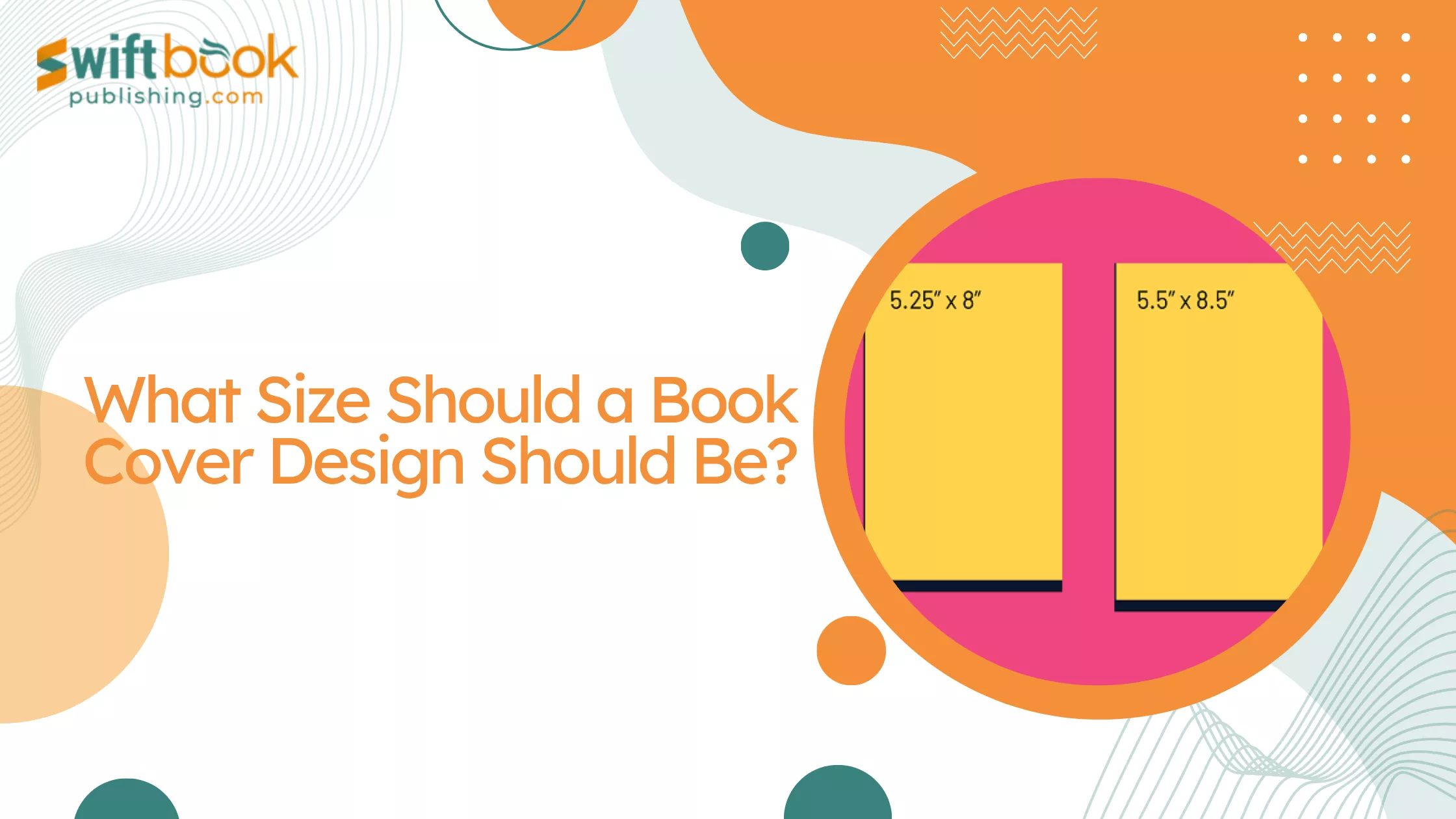
Novels may use 5 x 8, 5.25 x 8, 5.5 x 8.5, or 6 x 9. Business books and general nonfiction often use 6 x 9. Workbooks and manuals may use 8.5 x 11. Children’s books may use square or larger formats depending on illustrations and reading age.
Trim size affects more than the cover. It affects page count, spine width, printing cost, interior layout, and reader experience. A smaller trim size may feel more like a traditional novel but may increase page count. A larger trim size may reduce page count but may not feel right for every genre.
Because trim size affects the final cover dimensions, authors should choose it before creating the print cover.
How Page Count Affects Cover Size
Page count affects spine width.
A book with 100 pages will have a thinner spine than a book with 400 pages, even if both books use the same trim size. Paper type also affects spine width because different paper options have different thicknesses.
This is why print cover design should usually wait until the interior formatting is complete or nearly final. If the author adds or removes several pages after the cover is designed, the spine width may change. A spine that is even slightly wrong can look misaligned in print.
KDP’s cover calculator asks for page count because it needs that information to calculate the correct cover template. KDP also advises authors to know the final page count after trim size and margin settings are accounted for before creating the cover.
For authors, the practical lesson is simple. Do not finalize the print cover before the interior file is stable.
Spine Width and Spine Text
Spine width is a key part of print cover size.
The spine holds the title, author name, publisher logo, or other branding when the book sits on a shelf. However, not every book has enough spine width for text. Thin books may not support spine text because there is not enough safe space.
IngramSpark’s print guidelines say spine text is not available on paperback covers below 48 pages. They also state that for spines 0.35 inches and larger, text should be kept a minimum of 0.0625 inches away from the left and right side of the spine.
This matters because some authors want their title on the spine even when the book is too thin. If the spine text does not meet platform requirements or falls outside safe zones, the file may be rejected or print poorly.
Spine design should always follow the specific template for the platform and format.
Bleed and Final Cover Size
Bleed is extra design space added beyond the trim edge.
It prevents unwanted white borders after the book is cut. If a background color, image, texture, or illustration reaches the edge of the cover, the artwork needs to extend into the bleed area.
KDP tells authors to add 0.125 inches to the top, bottom, and outside edges of paperback covers when sizing with bleed. IngramSpark’s guidelines also require 0.125 inches of bleed for most covers, with a larger wrap requirement for case laminate hardcovers.
Bleed changes the full file size. A front cover that is 6 x 9 inches may need artwork that extends beyond that size in a full print cover layout. For the full wrap, bleed is added to the outer edges, not simply to the front cover alone.
Authors should not place important text or faces inside the bleed area. Bleed is meant for background extension, not key content.
Safe Zones and Text Placement
Safe zones protect important cover elements.
The title, subtitle, author name, tagline, review quote, and back cover copy should stay away from trim edges. Even small trimming variations can make text too close to the edge if the design is crowded.
This is especially important for the author name on book cover placement. If the author name sits too low, too high, or too close to the outside edge, it may look awkward or be at risk during trimming. The same applies to back cover blurbs, testimonials, and publisher information.
The safe zone also applies to the spine. Spine text must fit inside the spine area with enough margin. If it is too large or too close to the edge, it may shift visibly in print.
Good cover sizing is not only about the outer dimensions. It is also about how content sits within those dimensions.
Back Cover Size and Layout
The back cover of a book usually matches the front cover’s trim size, but its layout has different needs.
A back cover may include a book summary, author bio, author photo, testimonials, publisher logo, category, price, website, or barcode. The barcode area must remain clear if the platform places a barcode automatically or if the designer adds one.
The back cover should not be treated as empty leftover space. It is a sales tool. Readers who pick up a physical book often turn it over to decide whether the book is worth reading. The copy should be readable, persuasive, and well spaced.
However, the back cover also needs technical safety. Text should not sit too close to trim lines. The barcode should not cover important content. Images should be high resolution. The design should align with the front cover’s style.
In a full print cover file, the back cover is part of the same wraparound design, so its size depends on the chosen trim size and platform template.
Common Book Cover Sizes by Format
While exact dimensions vary, authors can think in general categories.
An eBook cover is usually a vertical digital image. A common design ratio is around 1.6:1 height to width, and KDP recommends this general ratio in its eBook cover guidance.
A paperback front cover matches the book’s trim size, such as 5 x 8, 5.5 x 8.5, 6 x 9, or 8.5 x 11 inches. The full paperback cover file is wider because it includes the back cover, spine, front cover, and bleed.
A hardcover cover depends on the hardcover type. Case laminate, dust jacket, and other hardcover options may have different requirements. Authors should always use the exact platform template.
A square illustrated book may use trim sizes such as 8 x 8 or 8.5 x 8.5, depending on the platform. A workbook or manual may use 8.5 x 11.
These are examples, not universal rules. The correct size always depends on the platform’s current specifications.
KDP Cover Size Requirements
KDP for book covers relies heavily on trim size, page count, and format.
KDP provides a print cover calculator and templates so authors can generate the correct dimensions for paperback and hardcover covers. The tool requires details such as binding type, interior type, paper type, trim size, and page count.
For eBooks, KDP cover images need to meet pixel and ratio requirements. For print books, covers need to match the generated template and include proper bleed when needed.
KDP also states that the top, bottom, and outside margins must meet minimum requirements for interiors, and that inside margin size depends on page count because thicker books need more room near the spine. While that specific guidance refers to interior margins, it reflects the broader production principle that physical books require extra space near binding and trim areas.
Authors should not guess KDP cover dimensions. Use the calculator or template.
IngramSpark Cover Size Requirements
IngramSpark also uses templates and print file requirements.
IngramSpark’s file guidance explains that print cover files should be provided as complete PDF files and that the cover file should include the front cover, back cover, spine, and flaps where relevant. Its print guidelines also state that bleed should usually be 0.125 inches, with larger wrap requirements for certain hardcover formats.
Authors publishing through IngramSpark should generate the cover template directly from IngramSpark or use official guidance before designing. KDP and IngramSpark templates are not always interchangeable, even if the trim size is the same.
If an author plans to publish through both platforms, they may need separate print cover PDFs.
This is especially important for self-published authors who want both Amazon availability and broader bookstore or library distribution.
How Cover Size Affects Print Quality
Correct sizing helps protect print quality.
If a cover is too small or the artwork is stretched, the printed image may look blurry. If the bleed is missing, white edges may appear. If text is too close to the trim line, it may look crowded or be cut off. If the spine width is wrong, the book may look misaligned on shelves.
These issues can make a book feel amateur.
Readers may not know the technical reason, but they will notice the result. A book with a clean, properly sized cover feels more professional before the first page is read.
This is why professional Book Cover Design Services are often worth considering for authors who are not comfortable with sizing, templates, and print requirements.
A strong visual concept still needs technical preparation.
How Authors Create Book Covers at the Right Size
Some authors create book covers themselves using tools like Canva, Photoshop, BookBrush, or other design software. This can work, but the author must begin with the correct dimensions.
For eBooks, the author should create a high-resolution file in the correct ratio and export it in the platform’s accepted format. For print, the author should use the platform’s exact template based on trim size, page count, paper type, and binding.
When authors create book covers themselves, the biggest risk is designing by eye instead of by specification. A cover can look centered on screen while still failing print requirements.
DIY cover creators should use templates, follow bleed and safe zone rules, and order proof copies before approving the book for sale.
A cover is not finished until it works in the format where it will be published.
How to Make a Correctly Sized Book Cover Stand Out
Correct size is the technical foundation, but design still matters.
A properly sized cover should also match genre, use readable typography, create clear contrast, and show a strong visual idea. A cover should work at full size and thumbnail size. The title should be readable. The author name should be placed intentionally. The imagery should support the book’s mood.
A book cover stand out effect is not created by adding more elements. Often, simpler covers are stronger because they communicate faster.
The design should also fit the reader’s expectations. A business book, thriller, memoir, romance novel, poetry collection, and children’s book each require different visual choices.
Size protects the production quality. Design attracts the reader.
Finding the Right Designer for Book Cover Sizing
Authors who want to find design for book cover projects should ask designers about technical experience, not only style.
A designer should know how to create eBook covers and print-ready PDF covers. They should understand trim size, spine width, bleed, barcode placement, resolution, and platform templates. They should ask for your final page count before preparing the print cover.
If you are using KDP, ask whether the designer works with KDP templates. If you are using IngramSpark, ask whether they can create an IngramSpark-ready PDF. If you need both, ask whether separate files are included.
A portfolio may show visual skill, but publishing knowledge protects the final product.
Do Book Cover Illustrators Handle Sizing?
Authors sometimes ask whether Do book cover ilustrators also prepare final cover sizes.
Some illustrators provide only artwork. Others provide complete cover design. The difference matters.
If an illustrator creates only the image, a cover designer may still need to add typography, format the front cover, build the spine and back cover, prepare the barcode area, and export the final files. Illustration is not always the same as a publish-ready cover.
Before hiring, authors should ask what deliverables are included. Will they receive only the artwork? Will they receive an eBook JPEG? Will they receive a paperback PDF? Will the cover be sized for KDP or IngramSpark?
Clear agreements prevent confusion.
How Much Control Authors Have Over Cover Size
Self-published authors usually have full authors control over covers, including size, format, trim size, and final approval. That control can be helpful because authors can choose the exact publishing path and visual direction.
However, control also brings responsibility. Self-published authors must make sure the files meet platform requirements.
In traditional publishing, authors often have less control. Publishers usually decide trim size, cover format, and final design based on production standards, market positioning, and sales strategy. Authors may give input, but final approval often belongs to the publisher.
Either way, cover size is not only an artistic choice. It is tied to printing, distribution, cost, and reader expectations.
Common Cover Size Mistakes to Avoid
Authors often make the same sizing mistakes.
They design a front cover only, then realize a paperback needs a full wrap. They create a cover before the interior page count is final. They forget to add bleed. They place text too close to the edge. They use a low-resolution image. They assume KDP and IngramSpark use the same file. They ignore spine width. They upload a cover that looks good on screen but fails platform review.
Another common mistake is choosing a trim size without thinking about genre. A trim size that works for a workbook may not suit a novel. A children’s picture book may need a different layout from a memoir.
The best way to avoid these problems is to plan the format before design begins.
Final Thoughts
The correct size of book cover design depends on the book format.
An eBook cover is measured in pixels and should follow the digital platform’s ratio and dimension requirements. A paperback cover is a full wraparound print file that includes the back cover, spine, front cover, and bleed. A hardcover may need its own template because binding and wrap requirements can differ
Trim size, page count, paper type, bleed, and spine width all affect the final print cover dimensions. That is why authors should use official templates from Amazon KDP, IngramSpark, or whichever platform they choose.
A well-sized cover protects print quality, prevents upload errors, and gives the book a more professional appearance.
Good cover design starts with creativity.
Professional cover production starts with the right size.